
Tools

So what’s in my internet log files?

It’s a fair question that anyone who wants to protect their privacy should be asking. What’s in my Internet Log files and who can access them? Well I’m afraid, and you’re not going to like this, is just about everything you do online is stored in logs files.

In fact even just the phrase internet log files is confusing as there are so many of them.   Let’s focus on the main ones which contain the most information about you online and that’s the ISP logs.

You see when you connect to the internet every thing you do is routed through your ISP, they have a complete record of everything you do pretty much. One of the main problems is that we use HTTP to surf the internet, that’s Hyper Text Transport Protocol – which has helped the internet to develop so amazingly fast.

There is a problem with HTTP though, and that is because it is in completely clear text. So anyone who has access to this data like the ISP can instantly read it and see exactly what and where you go on the internet.

It’s why Governments and organisations access this information when searching for terrorists, criminals and even just people who downloaded materials under copyright.  It’s all there in the internet log files stored at your local ISP.  There’s no technical knowledge needed to learn how to view .log files as the vast majority of it’s in clear text with no encryption.  It’a all recorded at that central point simply because all your data has to go through an ISP, which is recorded and saved to the .log file extension of their choice.
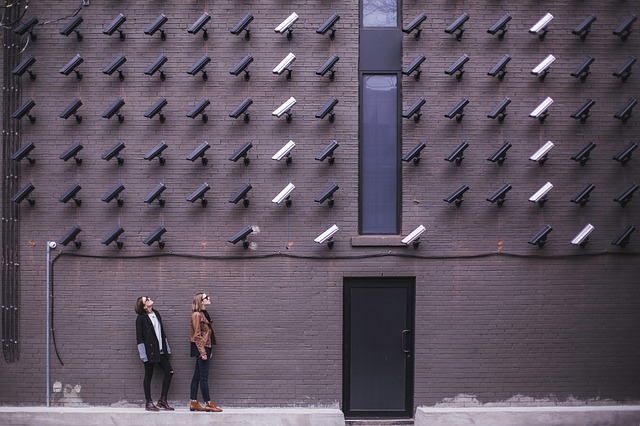
Internet Log files

Who Has the Right to Access My Internet Log Files ?

You might argue that any law abiding individual has nothing to fear from having their online activity recorded.  After all normal citizens shouldn’t care even if they are engaged in a little anonymous torrenting to download a few films, that’s nothing to the Government is it? However just consider how much information there actually is stored there in those log files.  Everything web site you visit, every video you watch, every message you send or receive it’s all there in your log files.   Would you be happy to hand over a comprehensive list of everything you’ve done online?   It’s a huge intrusion to your privacy, imagine a step further one made likely by the Governments latest piece of snooping legislation – the Investigatory Powers Act.  It’s been passed in Parliament but hasn’t got Royal Assent yet, but it’s likely to become law in the near future.  It would mean a whole host of Government agencies have access to these records for a variety of reasons.

Imagine you’re sitting in an interview for a Government job?  Across the table the interviewer sits with a booklet containing every web site you’ve visited in the last 12 months.  How would that make you feel?  Does this feel like an open, democratic situation or something like the KGB or Stasi would have done?   Perhaps you have medical conditions, something about your health or sexuality, perhaps private political affiliations.  All this is likely to be known from anyone’s web history and hence the person sitting across from you with your internet log files.

Even if this information was restricted to a select few agencies, we know this would spread.  The data once out would get into more and more hands, usually under some pretext of criminality or preventing terrorism.

The solution is actually quite simple but it does require some effort – encryption.  If you use a VPN service, you can encrypt your connection so that your logs contain no useful information. Here’s one in action –

The only information accessible in your logs as long as you keep encryption enabled will be the time you are online and the IP address of the VPN server you’re connected to. there will be no other data that is legible as it will all be encrypted and no record of the web servers you visit as all requests will be channeled through the VPN server. The added benefit of this is that you can also use the VPN service to bypass the myriad internet blocks that exist online.

For example, you may have found that certain sites particularly media companies block access based on your location. It’s called region locking or geo-targeting and it’s becoming increasingly common. For example if you try and access your Hulu subscription from outside the US you’ll get blocked, or similarly if you try and watch the BBC iPlayer from outside the UK. However if you switch to a VPN server in the correct country you can bypass these blocks irrespective of your location. I use mine every single day when travelling to watch the BBC News when I’m travelling.

Evil Twin Spoofing – Bye Bye Passwords

Ever hear of this – Evil Twin Spoofing? Sounds quite weird but it’s a very simple way of stealing peoples accounts, passwords and basically their entire identity. So that you’re aware here’s a how it works. An identity Thief makes himself comfortable in an airline lounge or his local Starbucks and gets out his laptop. Instead of just then browsing like everyone else, he sets up his laptop as a wireless access point using some free software. He calls his Access Point something friendly and plausible – perhaps Starbuck-Free-Wifi for instance, they then sit and wait.

It won’t be long before people start connecting to this bogus access point and as long as it’s been set up correctly – IE to relay all connections through the legitimate wifi AP then noone will be any the wiser.

Why Would He do This ?

Hopefully you’re one step ahead of me by now, everyone who is using the bogus access point will be unaware that they’re sending every keystroke, every password and every account name they connect to through this computer. Checking their paypal account, buying something from the internet, online banking – anything vaguely like this and the identity thief has struck gold.

You’re not likely to find out straight away of course, depending on the skill of the online thief and what lengths he intends to go to. But likely when you visit the ATM and find your balance at zero or worse then you might find out. Be very careful when connecting to Public free Wifi anywhere if you do use it, either use a product like . or never check anything with a username or password.

What’s the Deal with ‘Hide my IP Software’

Could you imagine why anyone should want or need these IP hiding software? Well actually you may be surprised but there are actually lots of reasons but let me provide you with a small sample.

  • There are lots of countries where you actually risk your safety if you speak too freely online
  • Many of us resent consistently being spied on and having their privacy intruded on
  • Cybercrime and Identity theft are very common crimes
  • Lots of individuals object to the fact that absolutely everything you do online is logged and monitored by your ISP

Needless to say there are plenty of people using the greatest innovation (the Internet) of our time for criminal activities. Just as they use other communication mediums like telephones, faxes and the postal service! The irony is that when governments and their agencies monitor internet connections, it’s only the innocent they spy on as the criminals and terrorists all block them.

This is one of the most annoying parts of the ‘well if you’ve got nothing to hide’ – why do you care – type arguments against anonymous surfing. It’s then just that some of us who are subject to the spying and surveillance that is carried out by even the most relaxed western governments. The European Directive instructs ISPs to record and log all the web sites, emails and electronic communications of it’s citizens for up to 2 years.

However it is also worth reminding people that just using a simple IP hiding software, or some super elite proxy you found listed on a web site is not really going to help your privacy. Most of this software does very little, remember HTTP is clear text protocol and that’s where most of your browsing and details are passed. The IP software protects your privacy from the web server you visit but that’s it. But every other details of your browsing is in the clear and traceable to your IP address, sitting in your ISP is a list of virtually everything you’ve ever done online over the last two years or so.

The very worst hide IP software is the little software front ends that search for free proxies when you start them up. They then route all your web browsing through the fastest, free proxy that they find available. It wouldn’t matter if the proxy was being run by a gang of identity thieves (which many of them are) purely to harvest user details, the software would still send you there. You would be much more secure using nothing than one of these.

Also available on YouTube here.
Simply staying secure online actually does take some work, far too many people are misled by tales of free proxies and they actually put themselves at huge risk. You need to use secure private proxies, you should know who is responsible for them and ensure that the logs are deleted instantly. Any proper security product will also ensure that all your browsing is encrypted as otherwise your details and IP will be visible all along it’s route.

Surf safely, protect your privacy,